One scanner
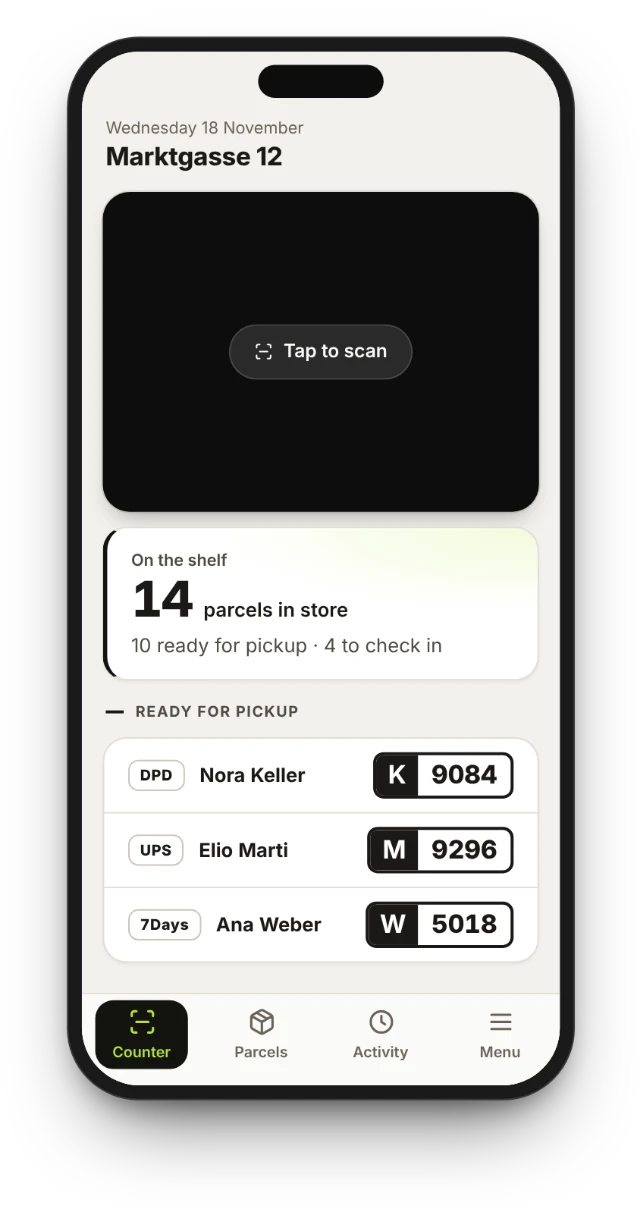
Scan the parcel's barcode. The app recognises the carrier and starts the right steps.
JJD 0000 0001 1001
DHLUPSDPD7Days
Parcel pick-up and drop-off, by SMARTS
Check parcels in from the driver, hand them to customers, accept drop-offs and send returns back, in one flow for every carrier. On an ordinary phone, or inside your till.
Run first and last mile through partner stores. Your stores get one app for your parcels, your recipients an app that tells them when and where to collect, and your team a view of the whole network. Connected to your systems and in your brand.
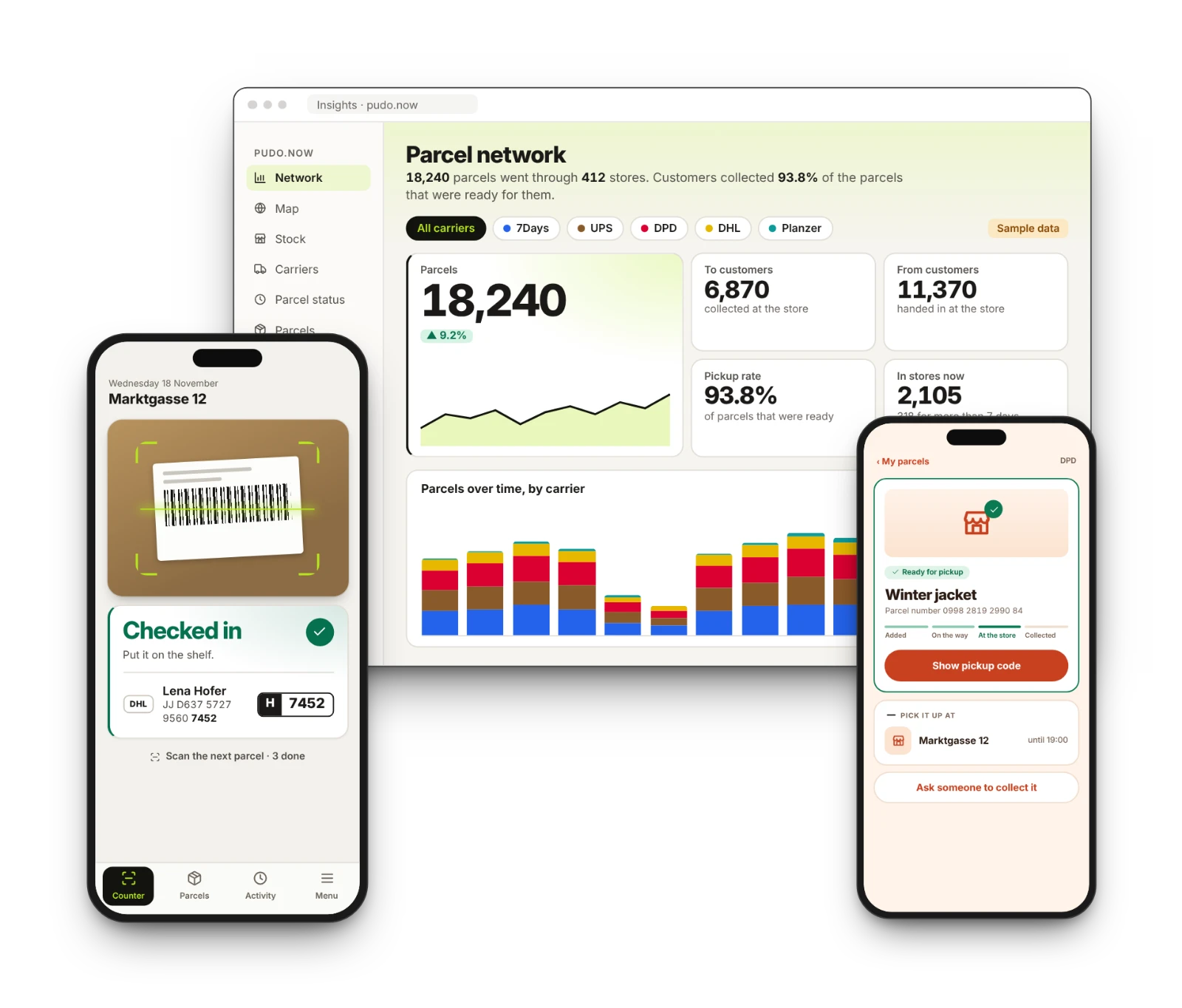
At store counters in Switzerland, Germany and Luxembourg. Any other carrier or language you need can be added.
The problem
Every carrier brings its own device, login and steps, and the counter pays for it.
How it works
The same four moments for every carrier. Scan, confirm, done.
Scan each parcel in. It is checked in, on the shelf and in stock.
Find the parcel, check the code or the ID where the carrier asks, capture the signature and hand it over.
Scan the label, or choose the carrier for a parcel without one, and keep it for the driver.
Hand over drop-offs and the parcels nobody collected, with the reason recorded.
The app
Large buttons, one scanner and a clear status for every parcel. It runs in the browser of an ordinary phone.
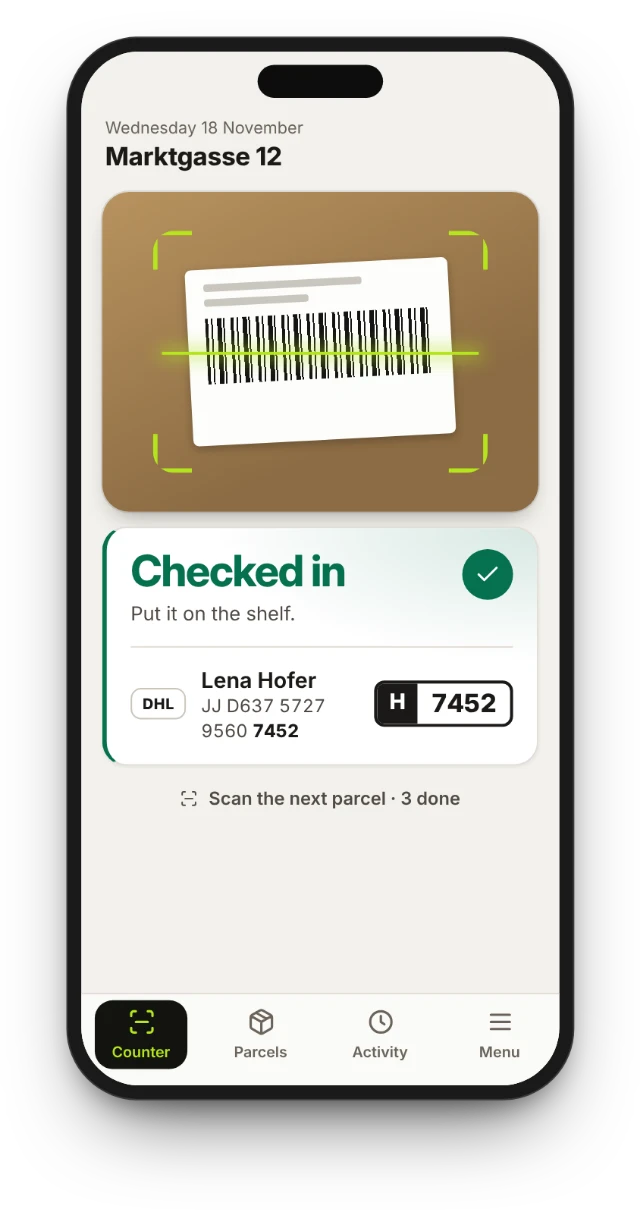
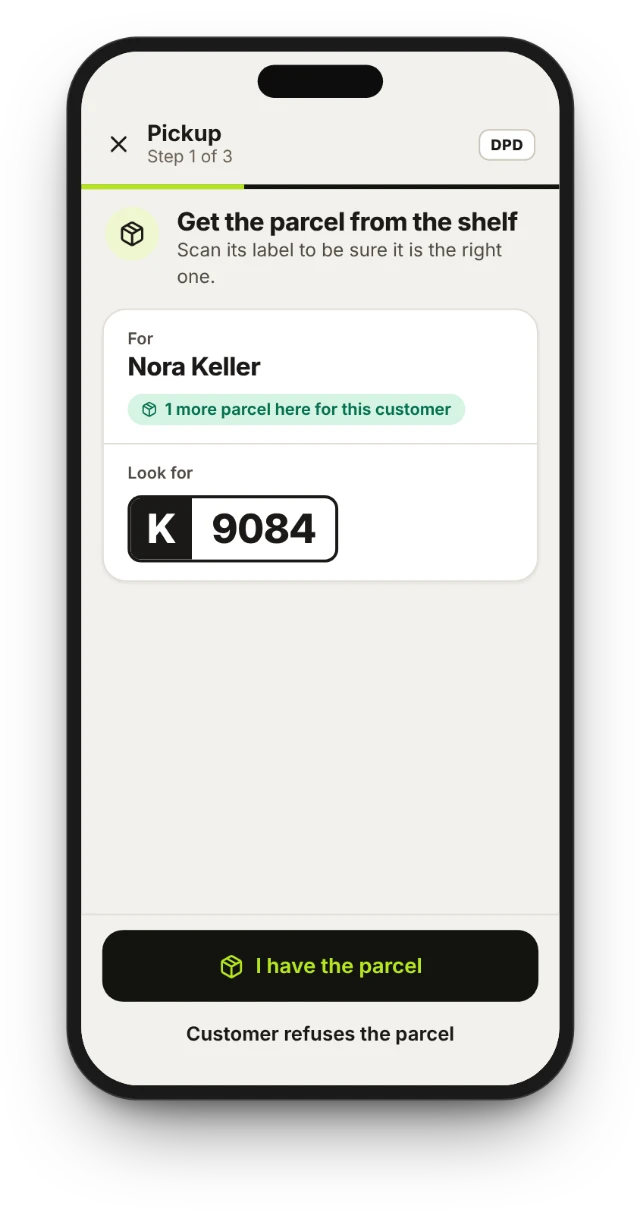
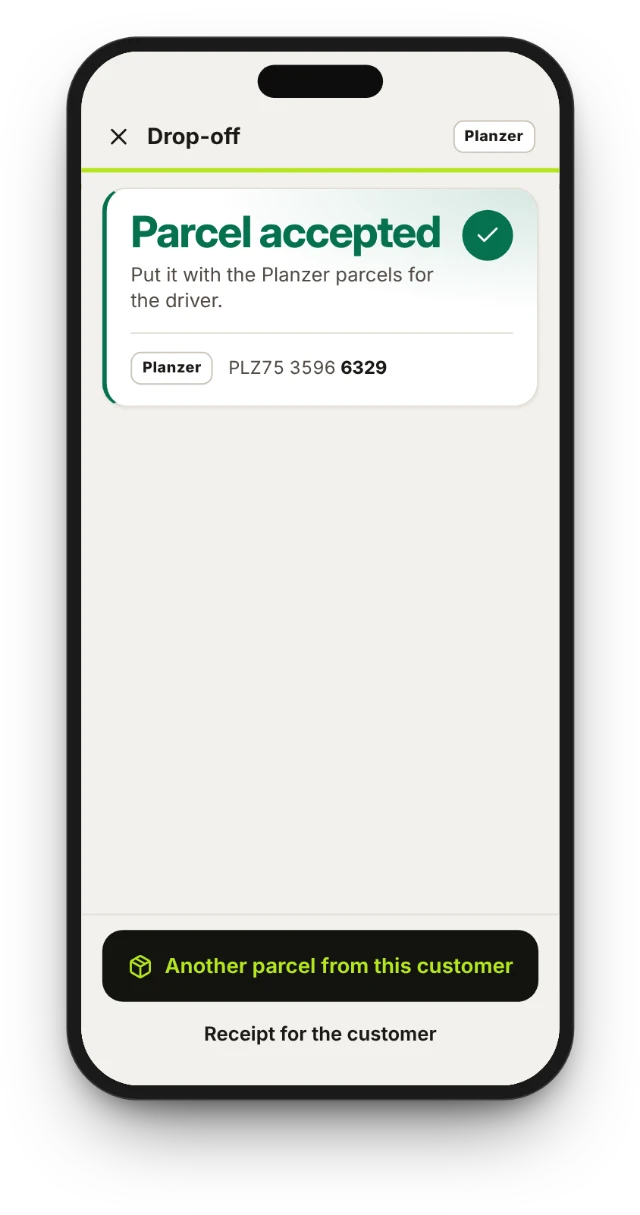
Illustration with sample data.
Scan the parcel's barcode. The app recognises the carrier and starts the right steps.
Where the carrier asks, the customer signs on the screen and the signature goes with the pick-up.
See how full the shelf is, so a full store is visible before it happens.
Store overwhelmed? One tap sends operations a report with the store's stock per carrier.
Drop-offs and returns grouped by carrier, handed over in one step.
When the carrier asks for money on a parcel, such as cash on delivery or a return fee, the app shows the amount and records the payment.
Train staff on example parcels, without touching real ones.
English, German, French, Italian and Dutch today. Any other language you need can be added.
Two ways to run it
The steps at the counter are the same. What differs is where the parcel transaction is recorded.
At the till, a pick-up is a line on the receipt, recorded with the day's other sales.
For logistics companies
First mile and last mile run through the store counter. The app for your partner stores, the app for your recipients and the view for your team are ready. We connect them to your systems and put them in your brand.
A customer drops off a parcel at the store; your driver collects it.
Your driver delivers to the store; the recipient collects it there.
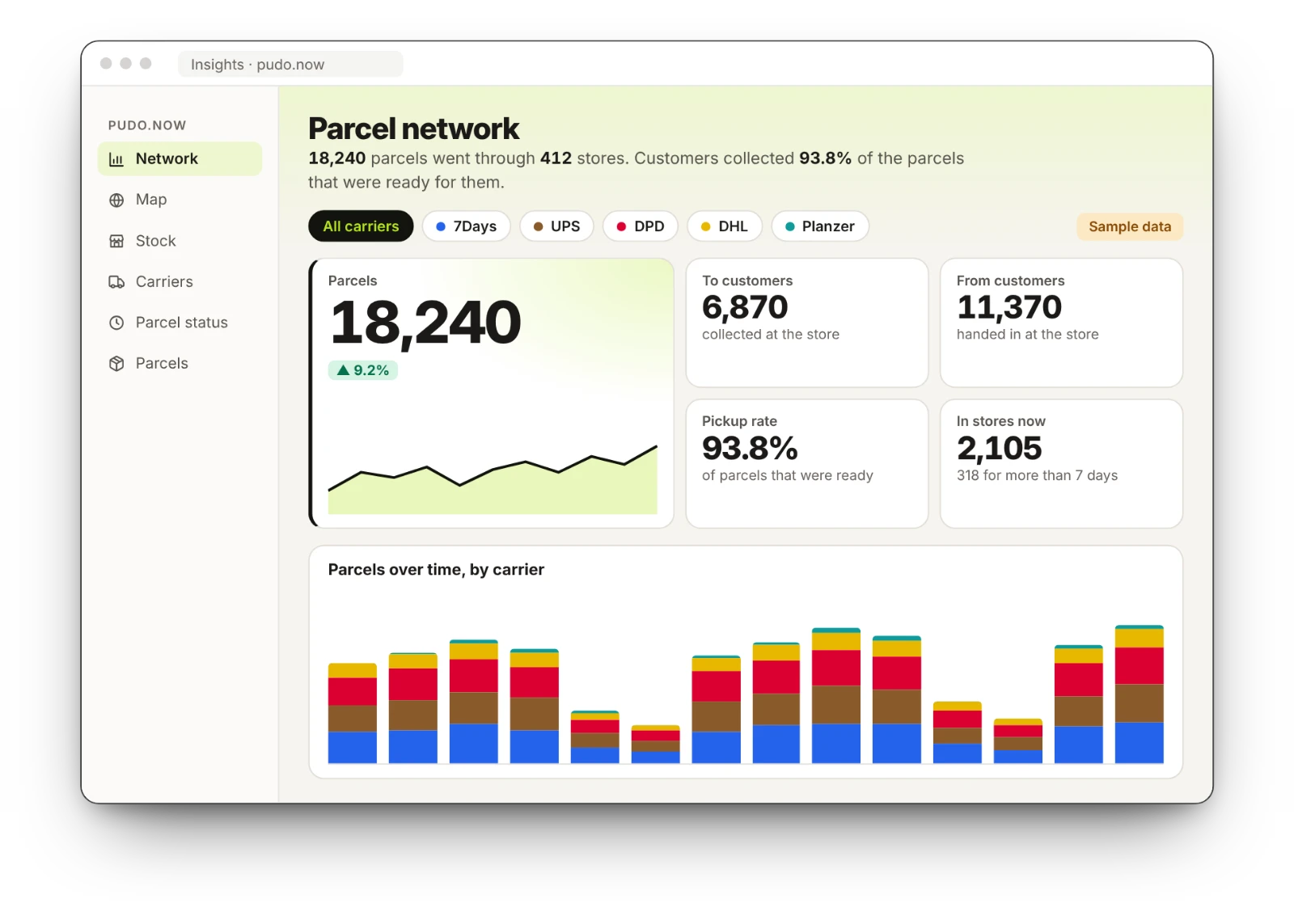
Back office
Operators watch scans arrive as they happen, open a town to see its streets, and spot the points that need a look.
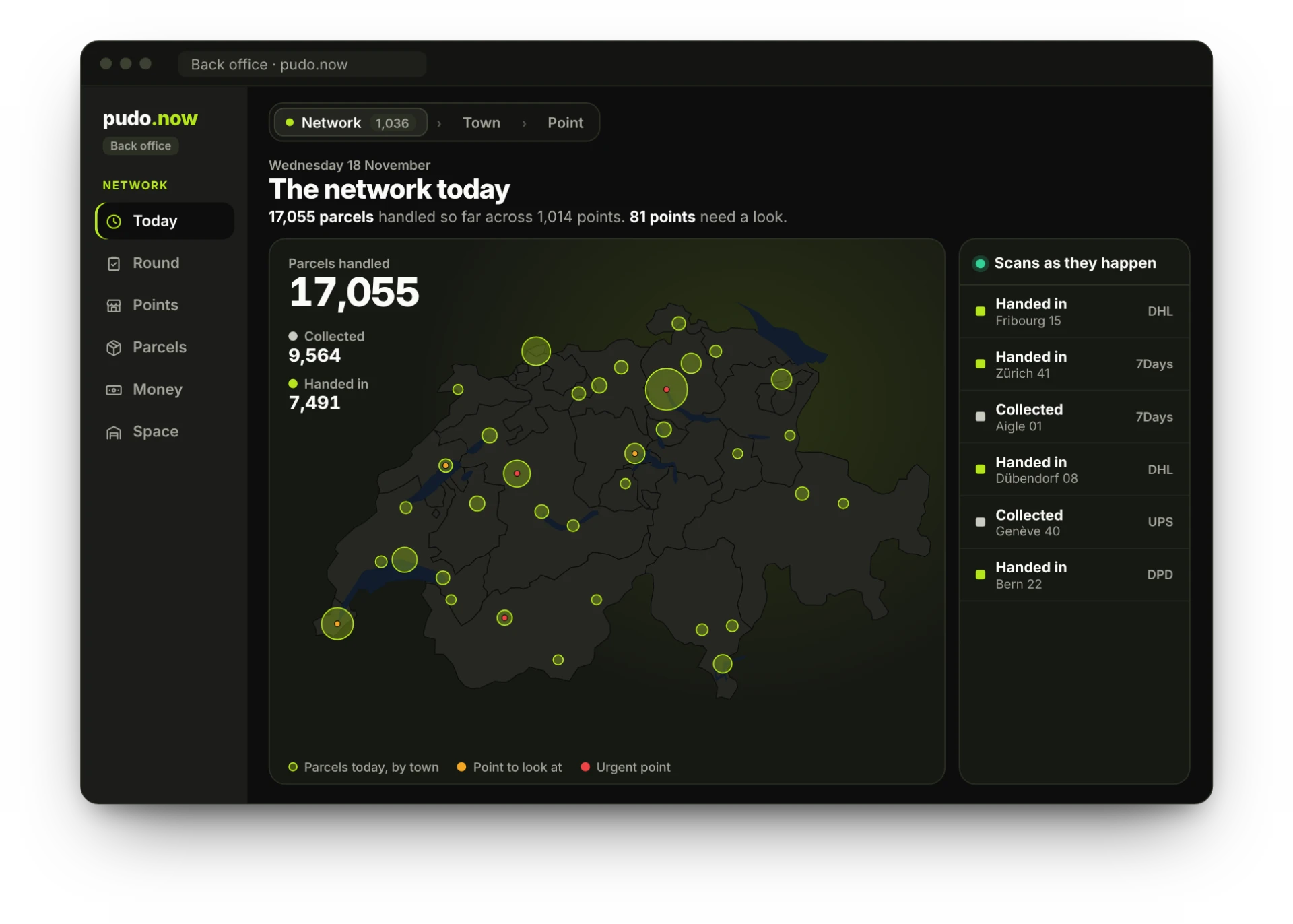
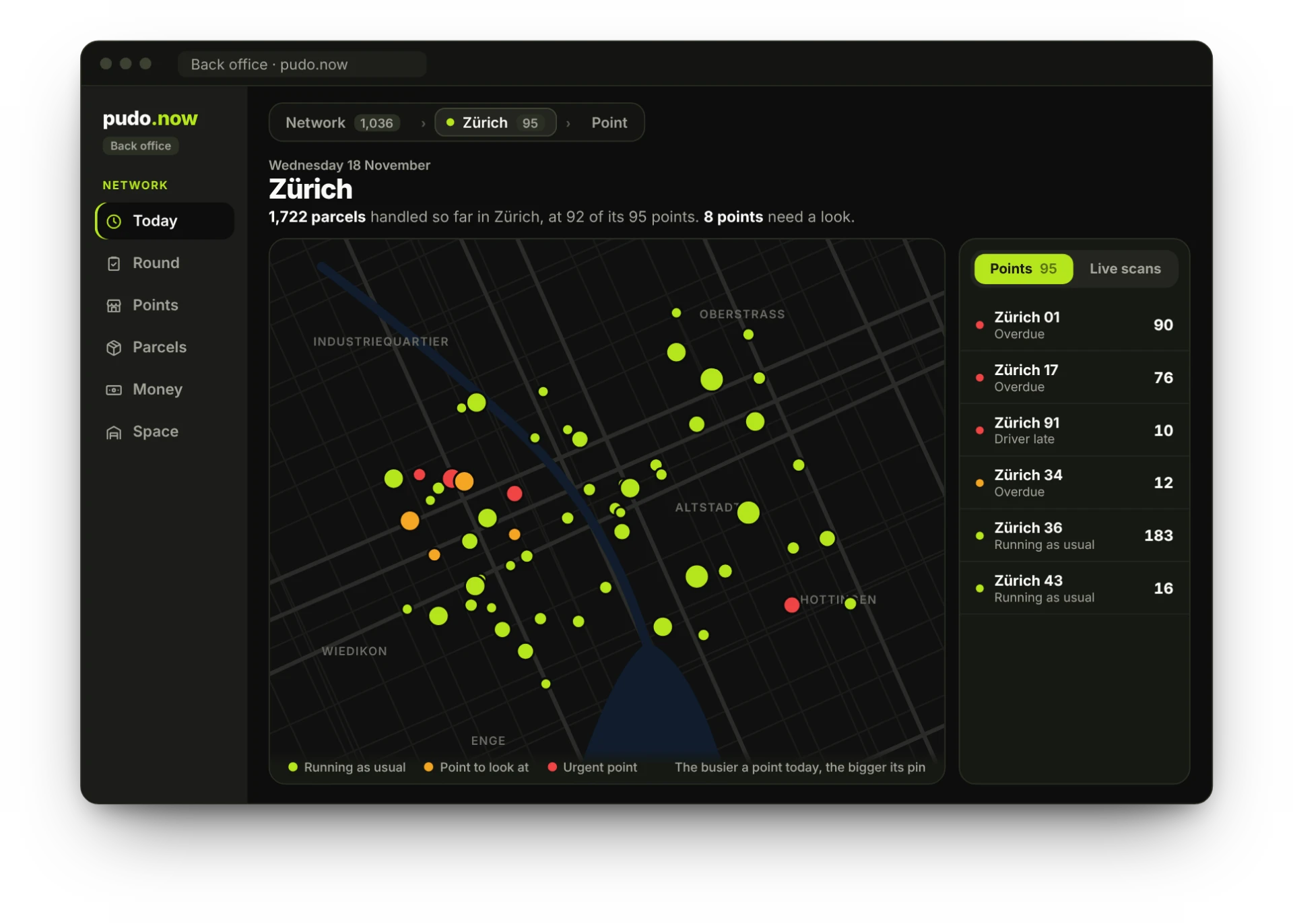
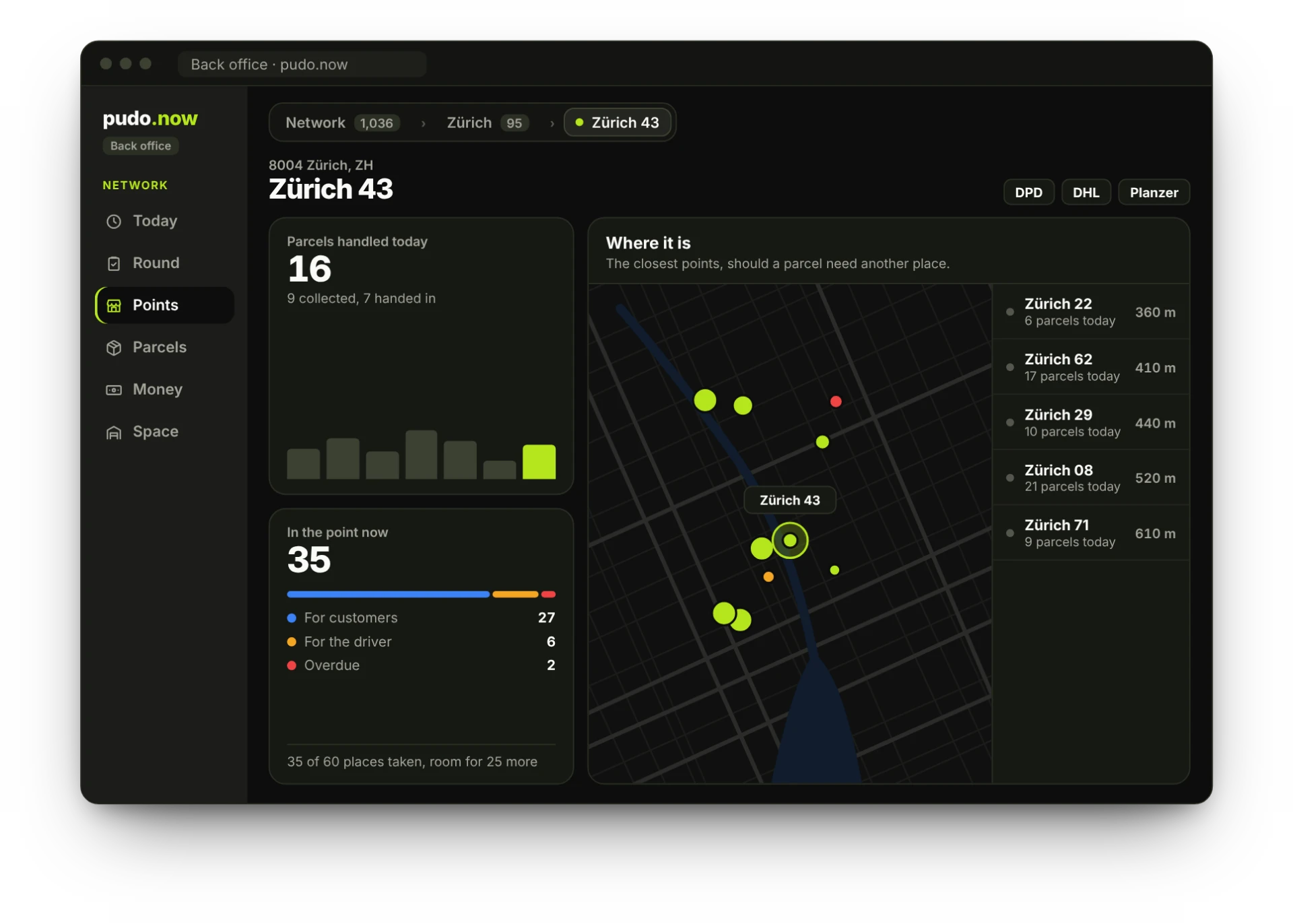
Illustration with sample data.
Parcels handled so far, every scan as it happens and the points that need a look. With the last 30 days and what the next 14 are expected to bring.
Every open issue at every point as one list, by what to do or by region. Tick off what is done and copy a brief for a carrier or a colleague.
Every point in the network, described by the parcels it handles: today, this month, in the point now and its last scan.
Find any parcel in the network by number or name, and see where it is and where it has been.
What the points took at the counter, in cash and by card, and what each one earned on your terms. With a one-page statement per point and an export for the settlement.
Each point states its room for small, medium and large parcels. You see which points run full and the nearest point with room. Where a parcel goes stays the carrier's decision.

Built by SMARTS
SMARTS connects retailers' tills to the services that run through them. The platform has been live since 2019. It runs at the tills of Valora's chains k kiosk, avec, Press & Books, Brezelkönig and cigo. smarts.hr
Questions
DHL, UPS, DPD, 7Days and Planzer are connected today, at store counters in Switzerland, Germany and Luxembourg. The list is not closed: any other carrier you need can be added, as a project.
The store app runs in English, German, French, Italian and Dutch today. Any other language you need can be added.
No. The standalone application runs in the browser of an ordinary phone. With the till integration, parcels run on the store's cash register.
Each parcel transaction is recorded in the cashier journal like any other sale. That matters where cash changes hands, such as payment on collection or at drop-off.
Yes. A network can run it as pudo.now or under its own brand: we put the store app and the customer app in your name and colours and connect them to your systems, as a project.
Ask for a demo. We show the counter steps on example parcels in demo mode, then talk about your stores or your network.
Tell us about your stores or your network, and we show you the counter steps in a short call.